
Tokens, Embeddings, and Context Windows
Two weeks after launching your AI assistant, the issue list looks familiar. "It forgets what I said earlier." "Search feels random." "Costs spiked on long chats." And the scary one: "It revealed its instructions when someone asked cleverly."
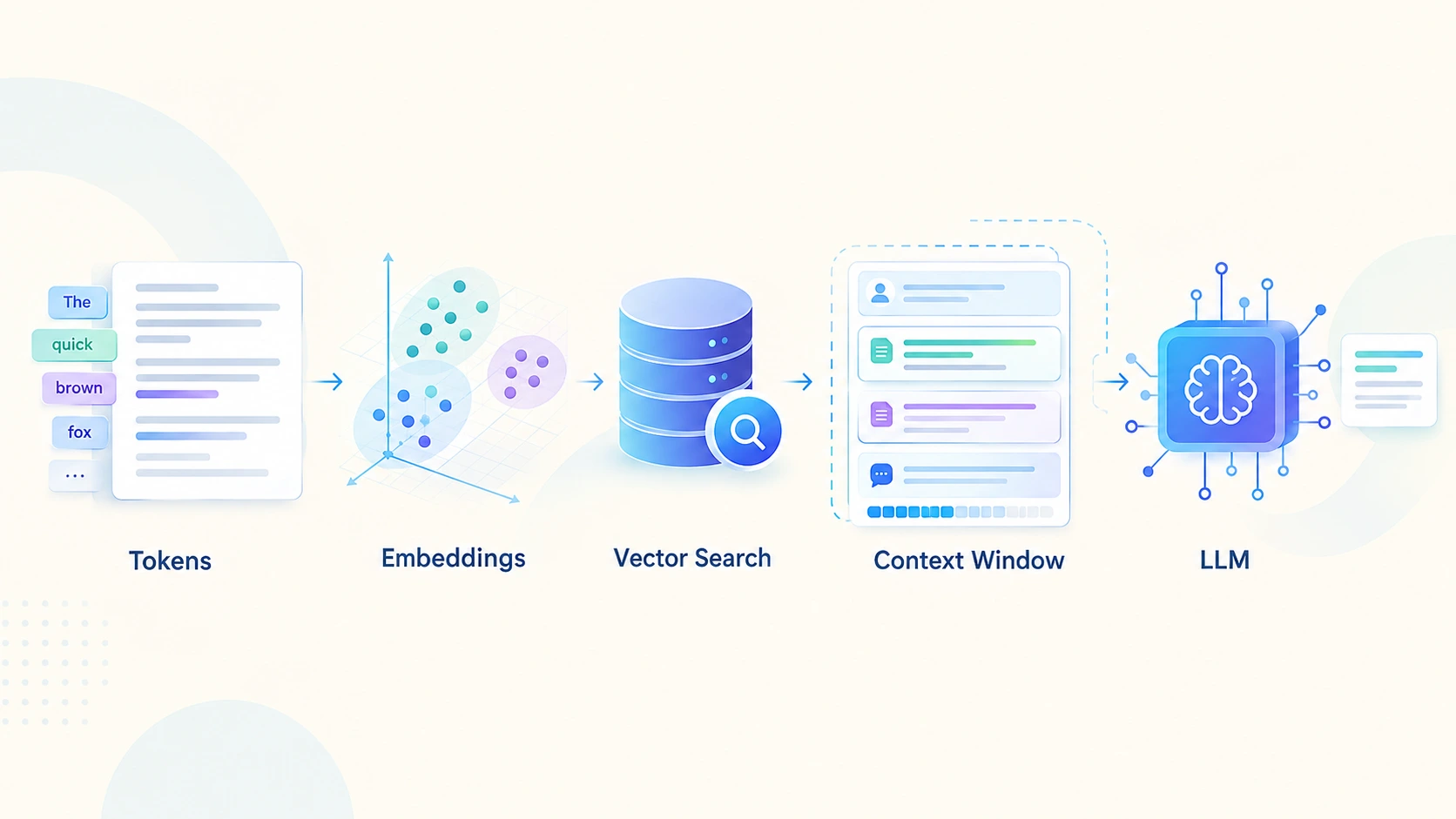
None of those is an AI mystery. Each one traces back to three plain ideas: how text is chopped into tokens, how meaning becomes embeddings, and how much the model can hold in its context window at one time.
Tokens are the unit you are billed and limited in. Embeddings turn meaning into numbers so you can find relevant text. The context window is a hard limit on what the model sees in one call, and it remembers nothing between calls. Most "AI memory" problems are problems of choosing what to put in that window.
Tokens: pieces, not words
A tokenizer splits text into learned chunks: whole common words, parts of rarer ones, punctuation, even single bytes. "Tomorrow" may be one token in one model and two in another. Models read and write token ids, never characters, and both billing and limits are counted in tokens.
For English prose a token is very roughly three-quarters of a word. Code, numbers, and many non-English languages split into more tokens per word, so the same sentence can cost noticeably more in another language. Don't estimate with word counts when it matters. Count with the tokenizer that matches your model.
Embeddings: meaning as coordinates
An embedding model turns a piece of text into a list of numbers (a vector). Texts that mean similar things end up close together, even when they share no words. That is what lets you search by meaning: "how do I change my login?" can find a page titled "Reset your password".
Closeness is usually measured with cosine similarity, which compares direction and ignores length:
import math

                      def cosine(a, b):
                          dot = sum(x * y for x, y in zip(a, b))
                          return dot / (math.sqrt(sum(x * x for x in a)) * math.sqrt(sum(y * y for y in b)))

                      # Toy 3-D "embeddings" (real ones have hundreds or thousands of dimensions)
                      docs = {
                          "reset your password": [0.9, 0.1, 0.0],
                          "change account credentials": [0.7, 0.4, 0.2],
                          "export invoices to CSV": [0.0, 0.9, 0.4],
                      }
                      query = [0.85, 0.15, 0.05]   # pretend this is the embedding of "how do I change my login?"

                      for text, vec in sorted(docs.items(), key=lambda kv: -cosine(query, kv[1])):
                          print(f"{cosine(query, vec):.3f}  {text}")
These three-number vectors are made up for the demo. Real embeddings have hundreds or thousands of dimensions, and you get them from an embedding model, not by hand. Vectors from different embedding models live in different spaces and can't be compared with each other.
The context window: a workbench, not a memory
The context window is the most tokens the model can consider in one call, and it covers your input and the answer it writes. Two consequences catch teams out:
- Nothing persists between calls. If the model "remembers" an earlier message, it is because your code sent it again. The complaint "it forgets" usually means that history got trimmed or never included.
- Bigger isn't automatically better. Long-context models help, but a crowded window costs more, slows the first token, and can dilute the model's attention. Retrieval quality still decides a lot.
How the three fit together
A typical retrieval-augmented assistant uses all three in one flow:
flowchart LR
                          D[Documents] --> C[Chunk with overlap]
                          C --> E[Embed each chunk]
                          E --> I[(Vector index)]
                          Q[User question] --> QE[Embed the question]
                          QE --> S[Search: nearest chunks]
                          I --> S
                          S --> P[Assemble prompt within token budget]
                          P --> M[LLM answers]
Chunking is the step people underestimate. Chunks that are too big waste tokens and bury the answer. Chunks that are too small lose the context that makes them meaningful. Overlap keeps a sentence that straddles a boundary from being cut in half:
def chunk(tokens, size=8, overlap=2):
                          """Split a token list into windows that share `overlap` tokens with their neighbour."""
                          step = size - overlap
                          return [tokens[i:i + size] for i in range(0, max(len(tokens) - overlap, 1), step)]

                      words = "the quick brown fox jumps over the lazy dog while the cat sleeps on a warm sofa".split()
                      for piece in chunk(words):
                          print(" ".join(piece))
This splits on words to keep the example readable. In practice you split on tokens, and better still on structure such as headings and paragraphs, so each chunk is a coherent unit.
What goes wrong
- Embedding drift. Switch embedding models and every stored vector is now in the wrong space. Re-embed and re-index everything, or recall collapses.
- Sensitive data in vectors. Personal data you embed is still personal data. Redact before embedding and protect the index like the source.
- Injection through retrieved text. A retrieved document can contain instructions. Delimit it, label it as data, and don't give the model powers it doesn't need.
- Budget overruns. Forgetting to reserve room for the answer, or letting history grow until it crowds everything else.
The solution architect's view
These three concepts look like model internals, but they become data architecture and cost control the moment you build a real system.
Retrieval is the data layer, so treat it like one
Whoever can read a document should be the only one who can retrieve it. Enforce access rules at query time, with permissions stored as metadata on each chunk, because the model can't be trusted to keep secrets it has been shown. Plan for freshness too: how quickly does a changed or deleted document disappear from the index?
Version the embedding model like a dependency
Record which model produced which vectors, and have a migration plan (dual indexes, re-embed in the background, then switch). Choosing a model is a trade between quality, vector size, index memory and cost, so decide with your own data, not a leaderboard.
Evaluate retrieval on its own
If the right chunk isn't retrieved, no prompt will fix the answer. Keep labelled questions and measure whether the correct source lands in the top results, separately from answer quality. When answers go wrong, this tells you which half of the system to debug.
Make the context budget an SLO
Set a maximum prompt size per request type, reserve room for the answer, and track token counts, time to first token and truncation events. A sudden rise in tokens per request is an incident signal, just like a rise in error rate.
Start simple on the store
A vector extension on a database you already run is often enough to begin with. Move to a dedicated vector store when scale, filtering or latency requirements show you need to, and let measurements, not fashion, make that call.
Questions for the design review
- How are document permissions enforced at retrieval time?
- Which embedding model are we on, and how would we change it?
- How do we measure retrieval quality, separately from answer quality?
- What is the token budget per request, and what is dropped first when we exceed it?
- What sensitive data reaches the index or the prompt?
Key Takeaways
- Tokens are the unit of cost and limits. Count them with the model's own tokenizer.
- Embeddings let you search by meaning; vectors from different models aren't interchangeable.
- The context window is not memory. You decide, on every call, what the model sees.
- Chunking and retrieval quality shape answers more than a bigger window does.
- Enforce permissions at retrieval, redact before embedding, and treat retrieved text as untrusted.
- Budget tokens like any other SLO, and instrument them.
Comments
Loading comments…